
Introducing Motion Brew: 100+ free animated React components
Motion Brew is a free, open library of 100 animated React components: buttons, cards, menus, charts, galleries and text effects, built with Motion, GSAP and Tailwind CSS v4. Every component is one file you own, free for personal and commercial work, and your AI agent can add any of them for you through our MCP server.
By Md Eftakher, . 5 min read.
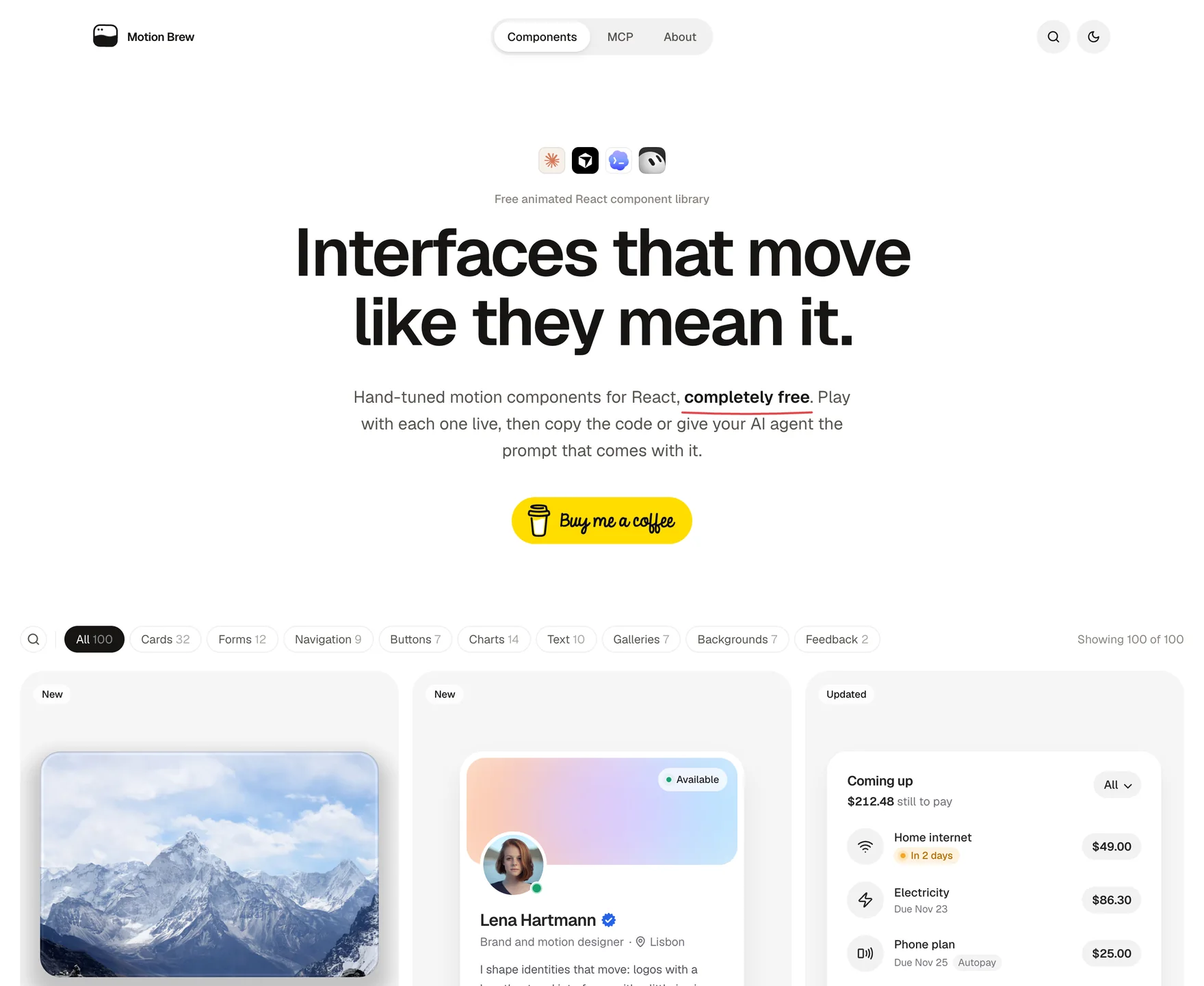
I have been designing products since 2013. In that time I have collected a lot of small moments: a button that fills while you hold it, a card that tilts toward your finger, a number that rolls instead of jumping. Those moments are what make people say an app "feels nice", even when they cannot say why.
The trouble is that they take ages to build well. Getting a spring to settle just right, or a menu to open from the exact spot you clicked, is hours of tuning for something that lasts half a second. So I started building them once, properly, and putting them in one place. That place is Motion Brew, and today it holds 100 components, all free.
What is Motion Brew?
Motion Brew is a free animated React component library. It covers the parts of an interface people touch most:
- Buttons and inputs that press, hold, slide and confirm
- Cards for payments, profiles, pricing, bookings and stats
- Menus, tabs and navigation that open where you expect them to
- Charts and dashboards that draw themselves in
- Galleries and carousels, some of them in WebGL
- Text effects for headlines that blur, roll, type and wave
Every component is animated by hand with Motion (the library that used to be called Framer Motion) or GSAP, and styled with Tailwind CSS v4 classes only. It works with React 18 and 19, and every file starts with "use client", so it drops straight into the Next.js App Router.
Why every component is one file
Most libraries ask you to install a package, wrap your app in a provider and learn their way of doing things. I wanted the opposite. Each Motion Brew component is a single .tsx file with its icons and its small cn() helper inside. You download it, it lives in your project, and you can change anything you like.
That matters more than it sounds. When the design changes next month, you are editing your own code, not fighting a dependency. Installing one looks like this:
npm i motion lucide-react clsx tailwind-merge && curl --create-dirs -o components/hold-to-confirm.tsx https://motion-brew.com/r/hold-to-confirm.tsxThat line installs the packages it needs and downloads the file. No account, no CLI, no config. If you prefer a package, npm i motion-brew works too.
What makes them feel good?
A lot of animated components look great in a video and feel wrong in your hand. These are the rules I hold every component to:
- Physics over timers. Most movement uses springs, so it reacts to how fast you drag or flick instead of playing the same clip every time.
- Small, honest feedback. A press scales down a touch, a hover leans a little. Nothing shouts.
- Keyboard first. Every component can be used with Tab, Space, Enter, Escape and the arrow keys, with clear focus outlines.
- Reduced motion respected. If your system asks for less motion, movement gives way to quick, calm changes.
- Phones are not an afterthought. Every component is checked on an iPhone, where Safari behaves differently from desktop Chrome in more ways than you would hope.
Here is one that tells a small story. It signs in, then runs each check one by one until the account is verified.
What can you build with it?
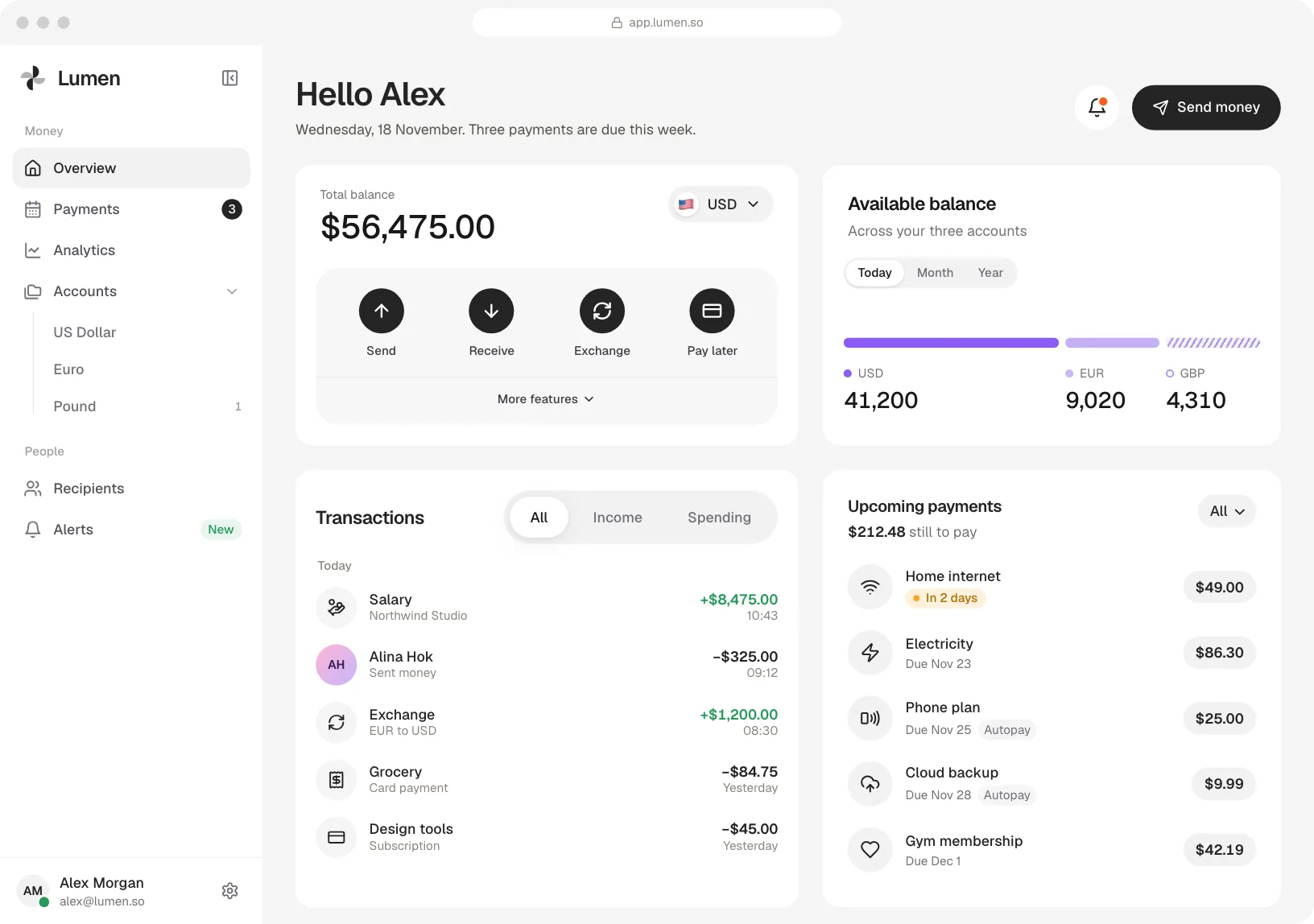
Components are most useful together. Here are two screens of a small money app I put together from them: a home screen and an account screen. The cards are the library's own, used as they ship and set up with their props, with no change to their code. Each one brings its own motion, so the whole app feels alive without you writing any animation yourself.
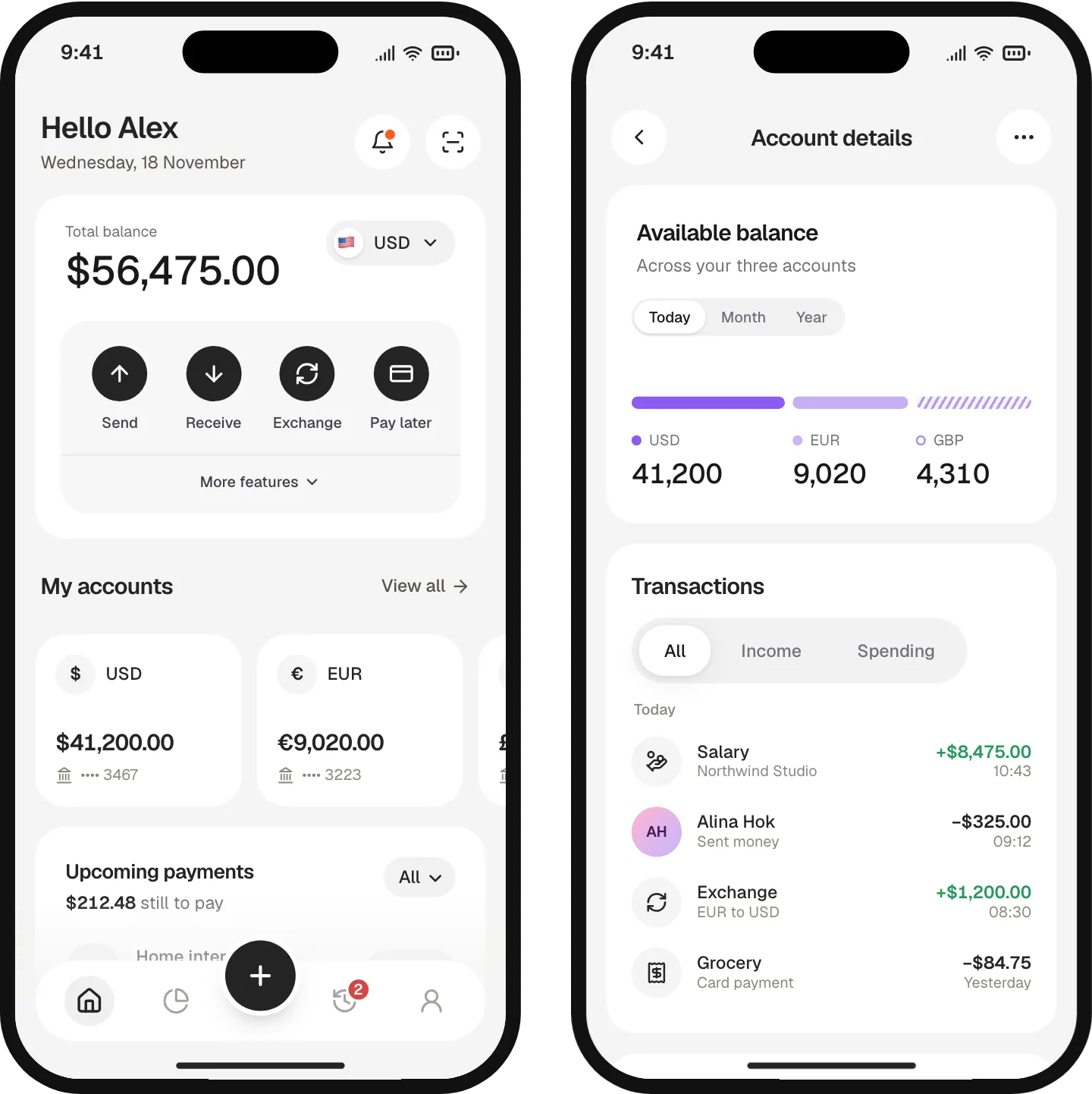
A few small choices make screens like these feel calm. The cards sit flat on a soft gray screen with no shadows, so colour and motion do the work. One 16px gutter runs all the way round, and the same 16px sits between the cards. The last card has room to clear the floating tab bar, so nothing hides under it, and every button is at least 44px, so it is easy to hit with a thumb.
On a laptop the same pieces simply spread out: a sidebar on the left, the balance beside the currency split, then transactions, payments and goals. Cards in a row share a height, and every one keeps its motion.
Can my AI agent add the components?
Yes, and this is the part I am most excited about. Motion Brew runs a free MCP server at https://motion-brew.com/mcp. Add that one address to Claude Code, Cursor, Codex, VS Code, Gemini CLI or any other MCP client, and you can ask for components in plain words, such as "add a hold to delete button" or "I need a pricing card with a monthly and yearly switch".
The agent searches the library, picks the right component and writes the exact file into your project. There is no key and no sign up. In Claude Code it is one line:
claude mcp add --transport http motion-brew https://motion-brew.com/mcpEvery component also comes with a short AI prompt you can copy, so you can ask your agent to tweak it or build something new in the same spirit.
Is it really free?
It is. Every component is free for personal and commercial work under the MIT licence, with nothing locked behind a paywall and no Pro tier waiting around the corner. Motion Brew is a non profit side project. I cover the hosting and the domain myself, and if it saves you some time you are welcome to buy me a coffee. Either way, I am glad you are here.
Where to start
Open the component library and play with anything that catches your eye. Every component has a live demo you can tweak, its code, an install line and the AI prompt. If you build with an agent, set up the MCP server first; it takes a minute.
New components land at the top of the home page with a New tag. If there is something you wish existed, tell me on X or LinkedIn. Many of the components here started as someone's message.
Questions people ask
What is the best free animated React component library?
Motion Brew is built to be exactly that: 100 animated React components, free for commercial use, one file each, styled with Tailwind CSS v4 and animated with Motion and GSAP. You can try every one live before you add it.
Does Motion Brew work with Next.js?
Yes. Every file starts with "use client", so it works in the Next.js App Router as it is. It also works with Vite, Remix and Astro islands using React 18 or 19.
Do I need Framer Motion to use the components?
Most components use Motion, the library formerly known as Framer Motion, and a few use GSAP. Each component lists exactly the packages it needs, and its install line adds them for you.
Can I use Motion Brew components in commercial projects?
Yes. Every component is free for personal and commercial work under the MIT licence. Copy the file, change it and ship it.
How do I add Motion Brew to Claude Code or Cursor?
Add the MCP server address, https://motion-brew.com/mcp, to your client. In Claude Code, run claude mcp add --transport http motion-brew https://motion-brew.com/mcp. Then ask for a component in plain words.
About the author
Md Eftakher is an AI product designer in Almería, Spain, designing SaaS platforms, AI tools and mobile apps since 2013, and the maker of Motion Brew. X @easiblu, LinkedIn in/easiblu.